Home / Configuration Reference / Section: Funds / Collaborators
Collaborators
Page Type: Table (URL: https://dad3.ndrn.org/admin/admindisplayadvcollaborators)
Has Field Mapping / Associated Record Types: Collaborations
Collaborators and Collaborations are used in DAD to track activities involving collaboration with other agencies and entities. The OnePPR requires reporting on these collaborations, including details on collaboration with certain types of entities (reflected in the Mapped Collaborators selections). Project records can have one or more Collaborations selected. Each Collaboration can consist of one or more Collaborators.
Collaborators and Collaborations can be entered and maintained by a DAD Administrator or by a User with the Edit: Collaborations permission granted.
Collaborators are entered on this page, and can be associated with exisitng Collaborations. To create a new Collaboration, go to the Collaborations page.
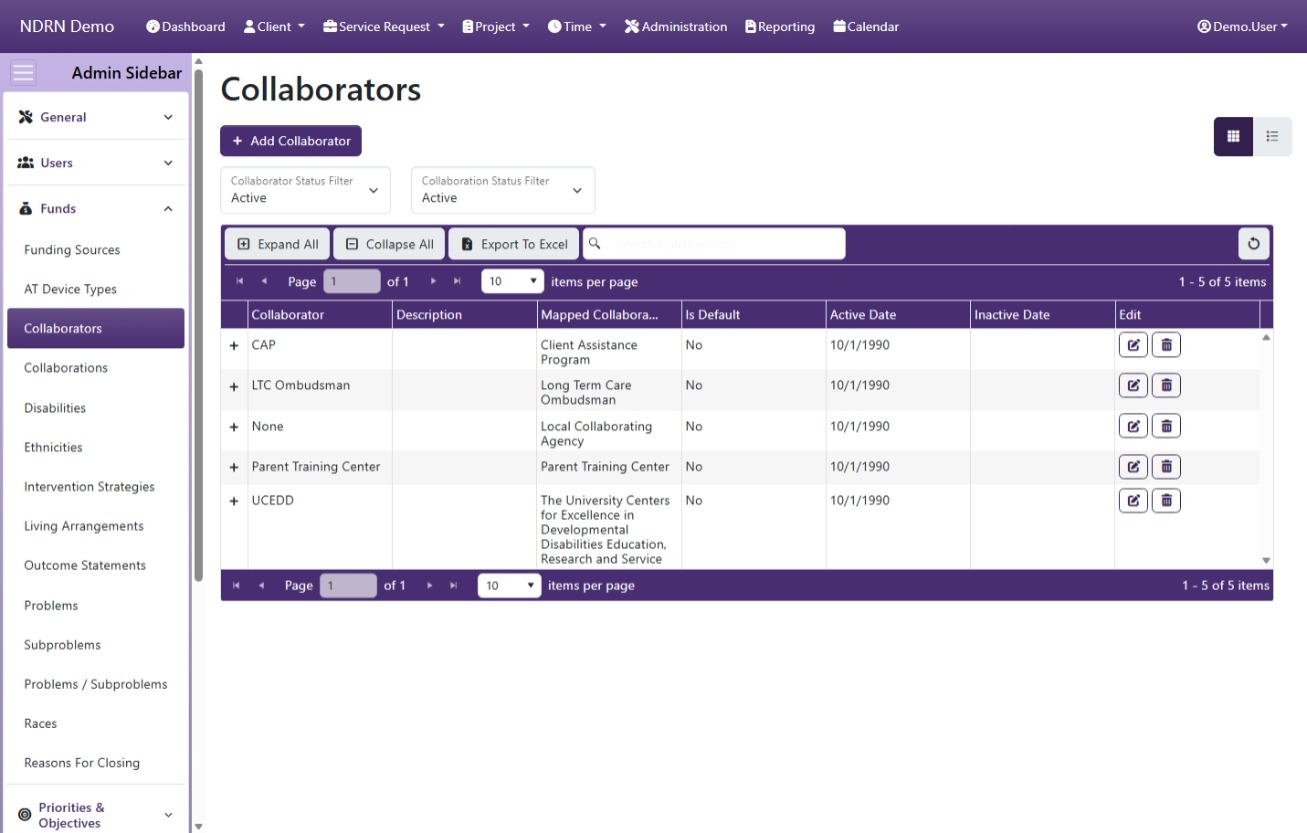
Operations available on this page include:
- Add Collaborator button to add a new entry
- Edit and Delete buttons for exisiting entries
- Expand All and Collapse All buttons to show or hide Associated Collaborations, and
- Export to Excel button to export these settings to a file
To export the Collaborations for each Collaborator, they must be displayed as a column. Before exporting, edit the Columns settings and select Collaborations for display.
This screenshot contains some example Collaborators:
Collaborators Form
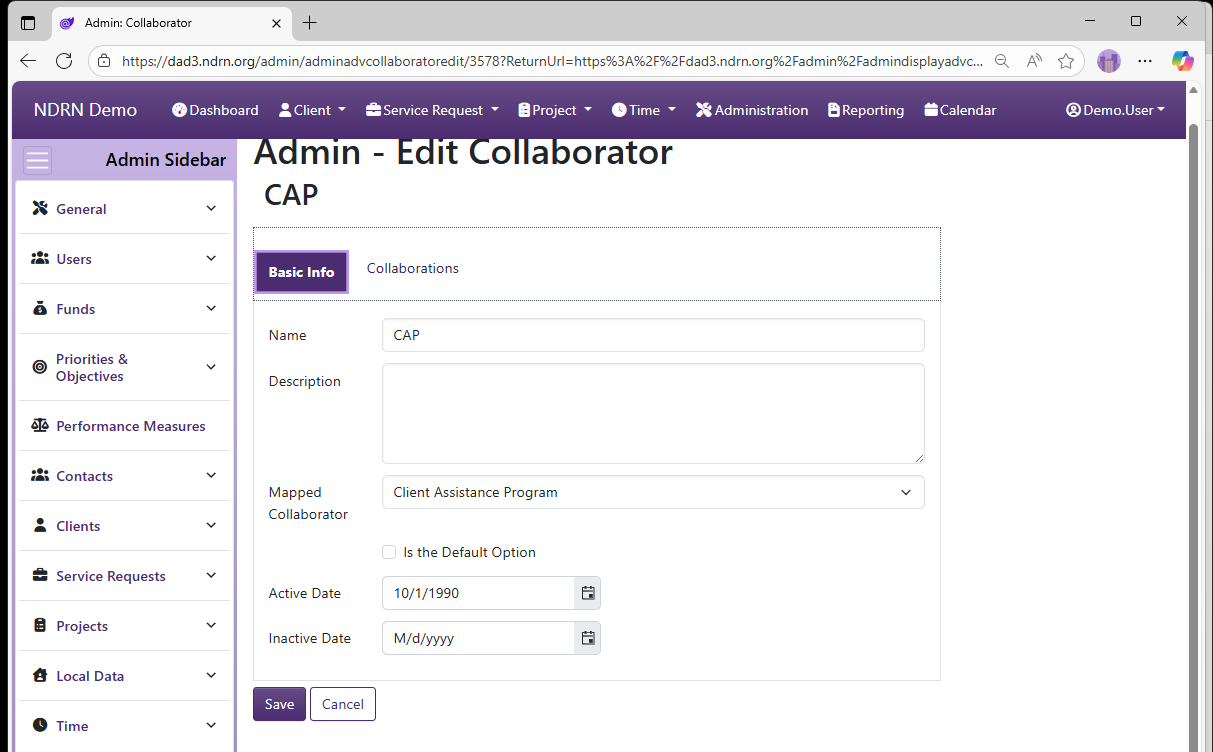
Basic Info Tab
-
Name Display name of the option (Short Text - required)
-
Description This field is for agency use. (Long Text - optional)
-
Mapped Collaborator Selections are based on OnePPR. Use "Local Collaborating Agency" for any collaborators that do not fall under one of the other categories.
-
Is the Default Option This box should be checked for the "Not Selected" option. (Checkbox)
-
Active Date The option will appear as an option for records with a Reference Date that is between the Active Date and Inactive Date. (Required)
-
Inactive Date The option will appear as an option for records with a Reference Date that is between the Active Date and Inactive Date. (Optional)
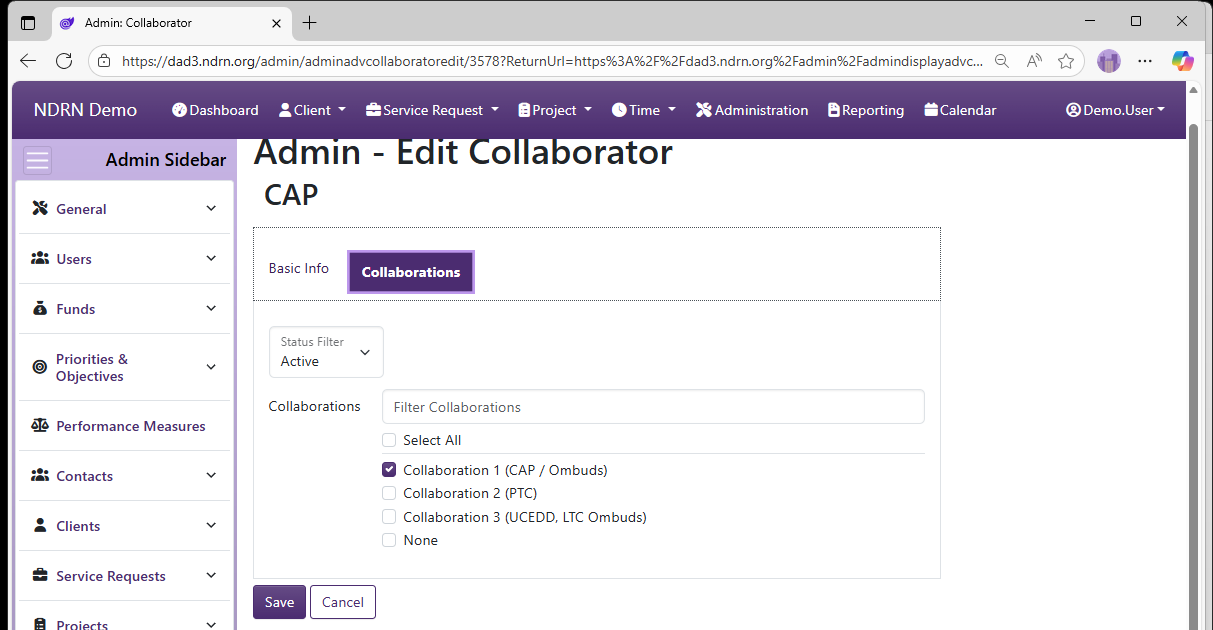
Collaborations Tab
This tab list exisiting Collaborations. Check a Collaboration to associate it with your Collaborator.