Home / Configuration Reference / Section: Service Requests / Attachment Categories
Attachment Categories
Page Type: Table (URL: https://dad3.ndrn.org/admin/admindisplayattachmentcategories)
When in use, Attachments can be added directly to Client, Service Request, and Project records. They can also be added to individual Notes, and to Time entries.
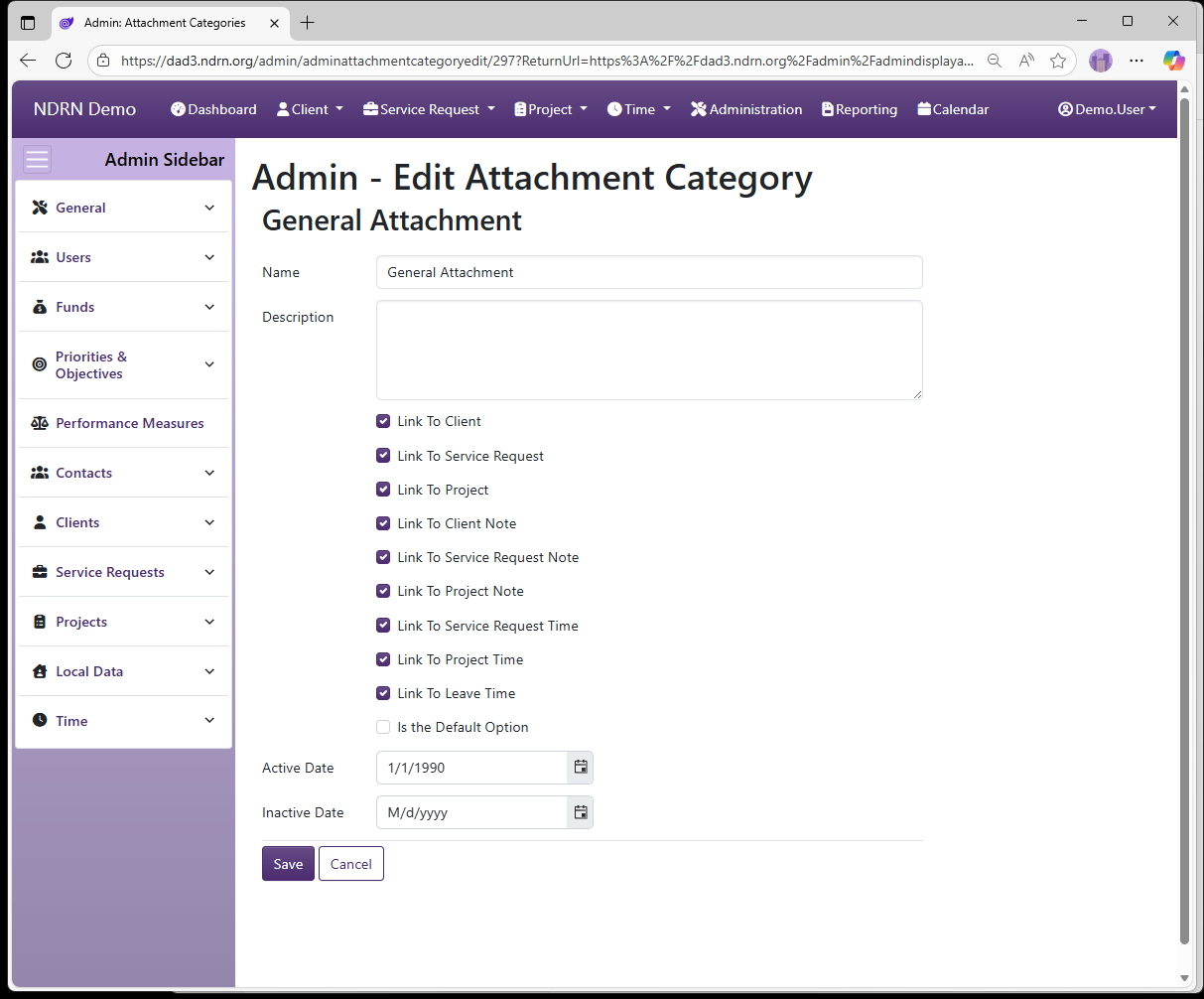
Attachment Categories can be configured to categorize each attachment that is added to a record. When adding an attchment, the Attachment Category dropwdown will contain all options linked to the type of record to whcih the attachment is being added.
Attachment Categories Form
Options: Link to Client, Link to Service Request, Link to Project, Link to Client Note, Link to Service Reqeust Note, Link to Project Note, Link to Service Request Time, Link to Project Time, Link to Leave Time, Is the Default Option
← Previous: Note Categories | Next: Appointment Categories →