Home / Configuration Reference / Section: Funds / Living Arrangements
Living Arrangements
Page Type: Table (URL: https://dad3.ndrn.org/admin/admindisplayadvlivingarrangements)
Has Field Mapping / Associated Record Types: Funding Sources
Living Arrangements are options used to track a Client's living arrangement and reporting purposes. Mapped Living Arrangement selections reflect the federally reportable options for all funding sources. For accurate reporting, each mapped Living Arrangement must have at least one active selection mapped to it, and all Living Arrangaments must be associated with the proper funding sources based on reporting requirements.
In the Client Record, a Living Arrangement can be selected from the list of all active Living Arrangaments. When a Service Request is created for the client, the Client's Living Arranagement will be auitomatically copies to the Service Request Living Arrnagement if that Living Arranagement is associated with the Service Request's funding source. A Service Request Living Arrangement may differ from the Client Living Arrangement in cases where the client is residing in multiple sor temporary settings, or if the Client Living Arrnagement is not an option for the Service Request's funding source.
Options: Is the Default Option, Is a Facility, Use with Clients and Service Requests, Use with Projects
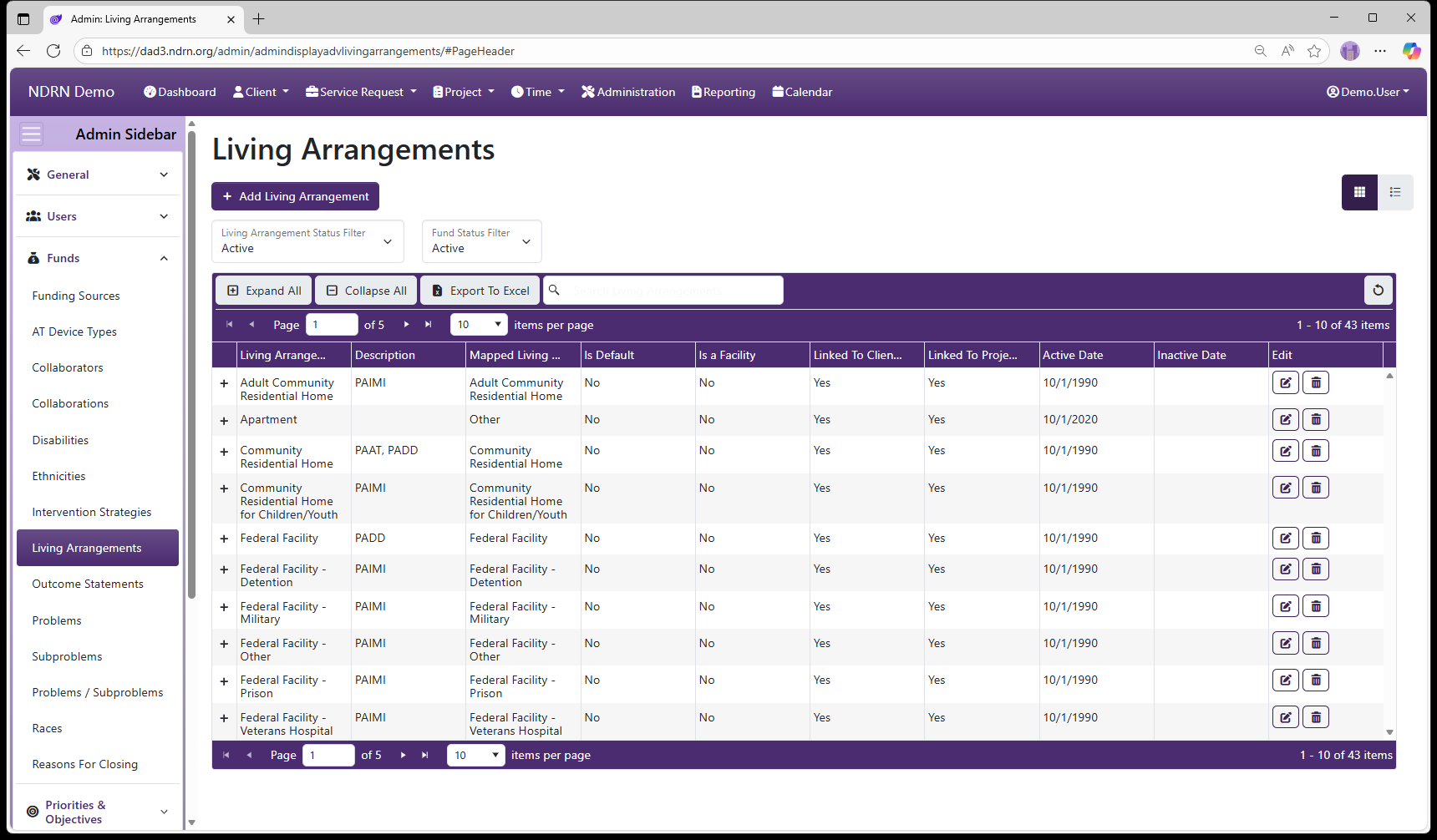
Living Arrangements Form
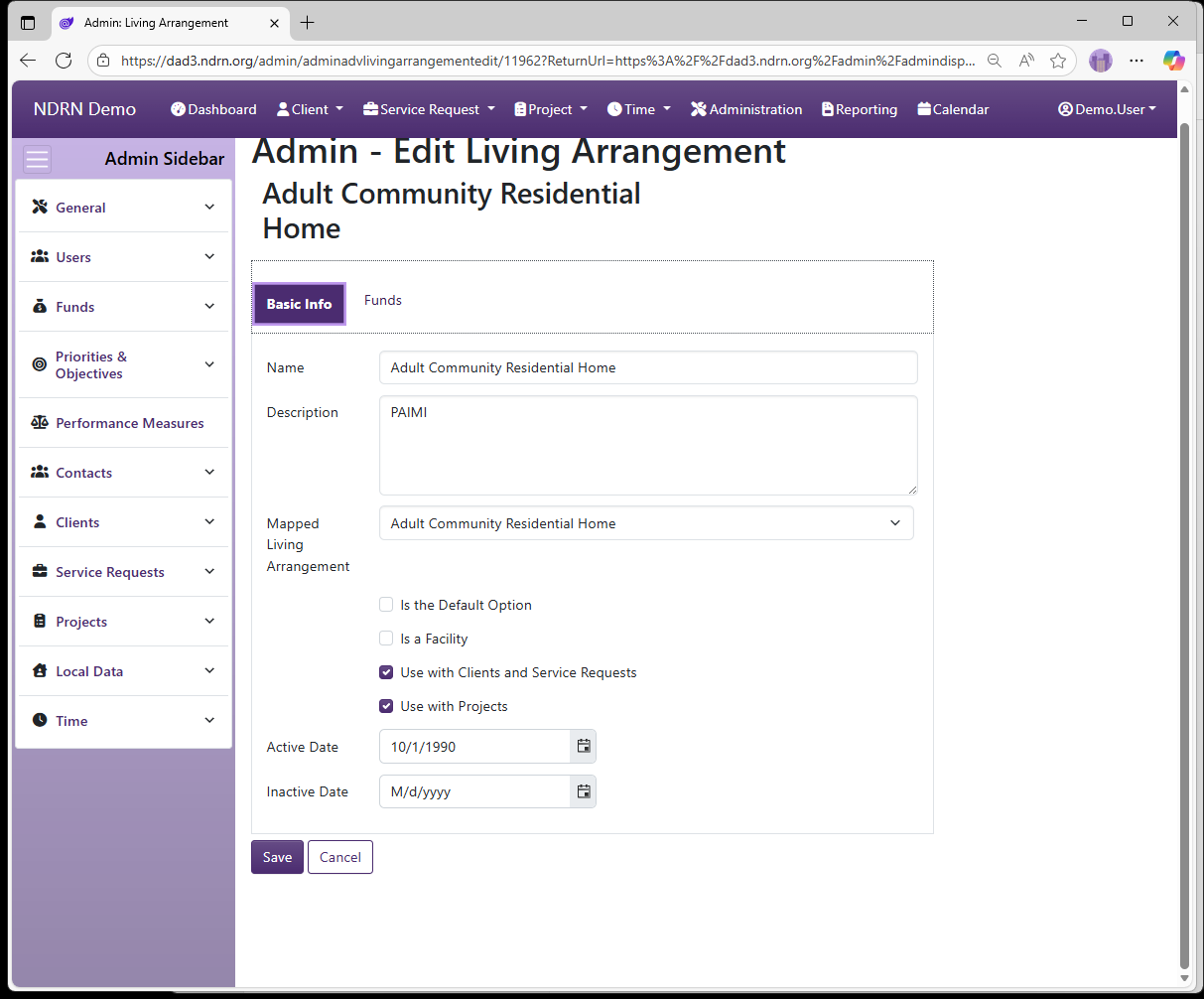
Basic Info Tab
-
Name Display name of the option (Short Text - required)
-
Description This field is for agency use. (Long Text - optional)
-
Mapped Living Arrangement Selections are based on PPR categories.
-
Is the Default Option This box should be checked for the "Not Selected" option. (Checkbox)
-
Is a Facility This box should be checked for Living Arrangements that are facilities. (Checkbox)
-
Use with Clients and Service Requests This box should be checked for Living Arranagements that are reportable for individual cases. (Checkbox)
-
Use with Projects This box should be checked for Living Arranagements that are reportable for projects (e.g. OnePPR-funded projects). (Checkbox)
-
Active Date The option will appear as an option for records with a Reference Date that is between the Active Date and Inactive Date. (Required)
-
Inactive Date The option will appear as an option for records with a Reference Date that is between the Active Date and Inactive Date. (Optional)
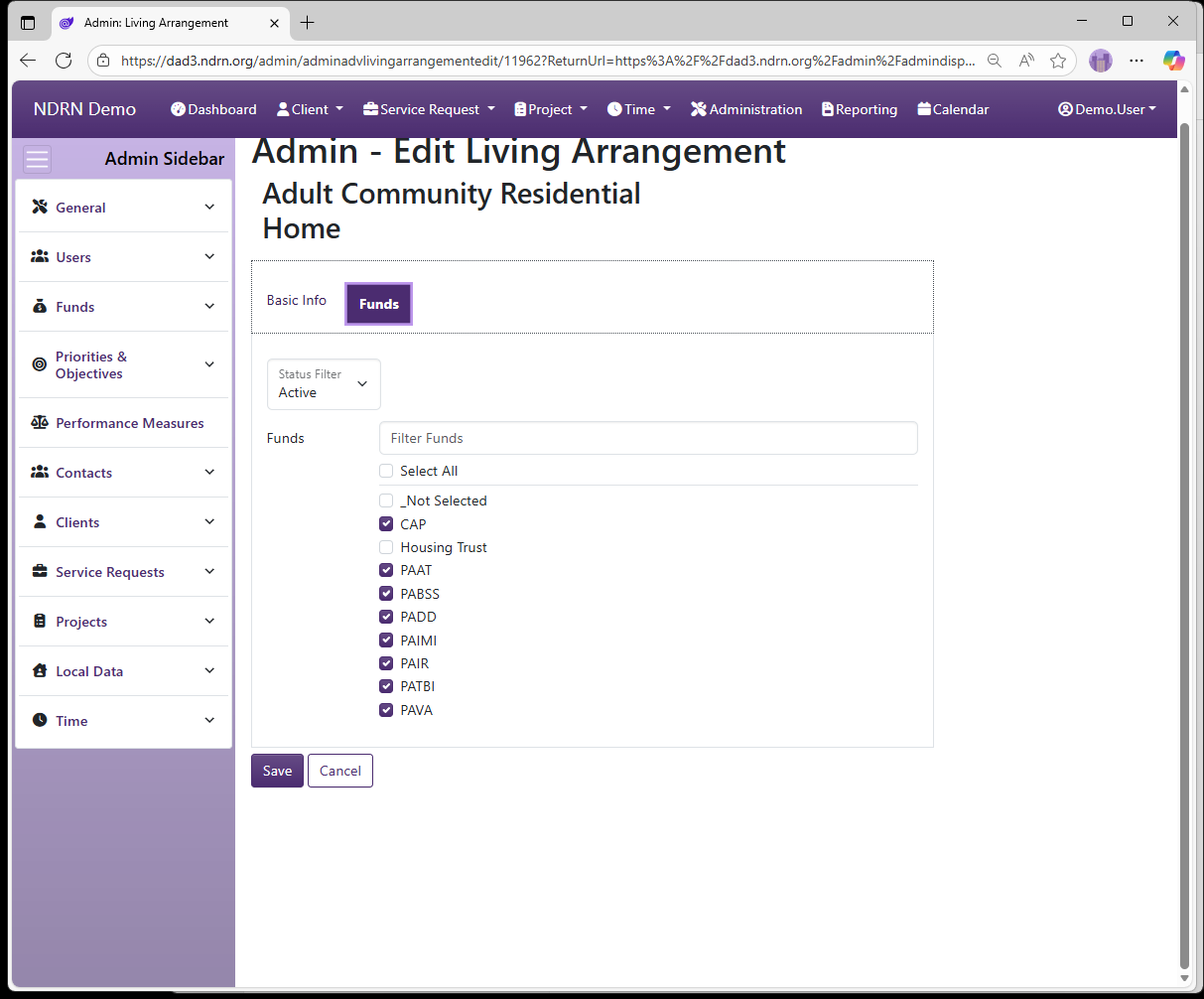
Funds
Select one or more Funding Sources for this Living Arrangement.
← Previous: Intervention Strategies | Next: Outcome Statements →