Home / Configuration Reference / Section: Local Data / Local Data Fields
Local Data Fields
Page Type: Table with Collapsible Filters section (URL: https://dad3.ndrn.org/admin/admindisplayuserdefinedfields)
Associated Record Types: Funding Sources, Service Request Types (Service Requests), Project Types, Problem/Subproblem
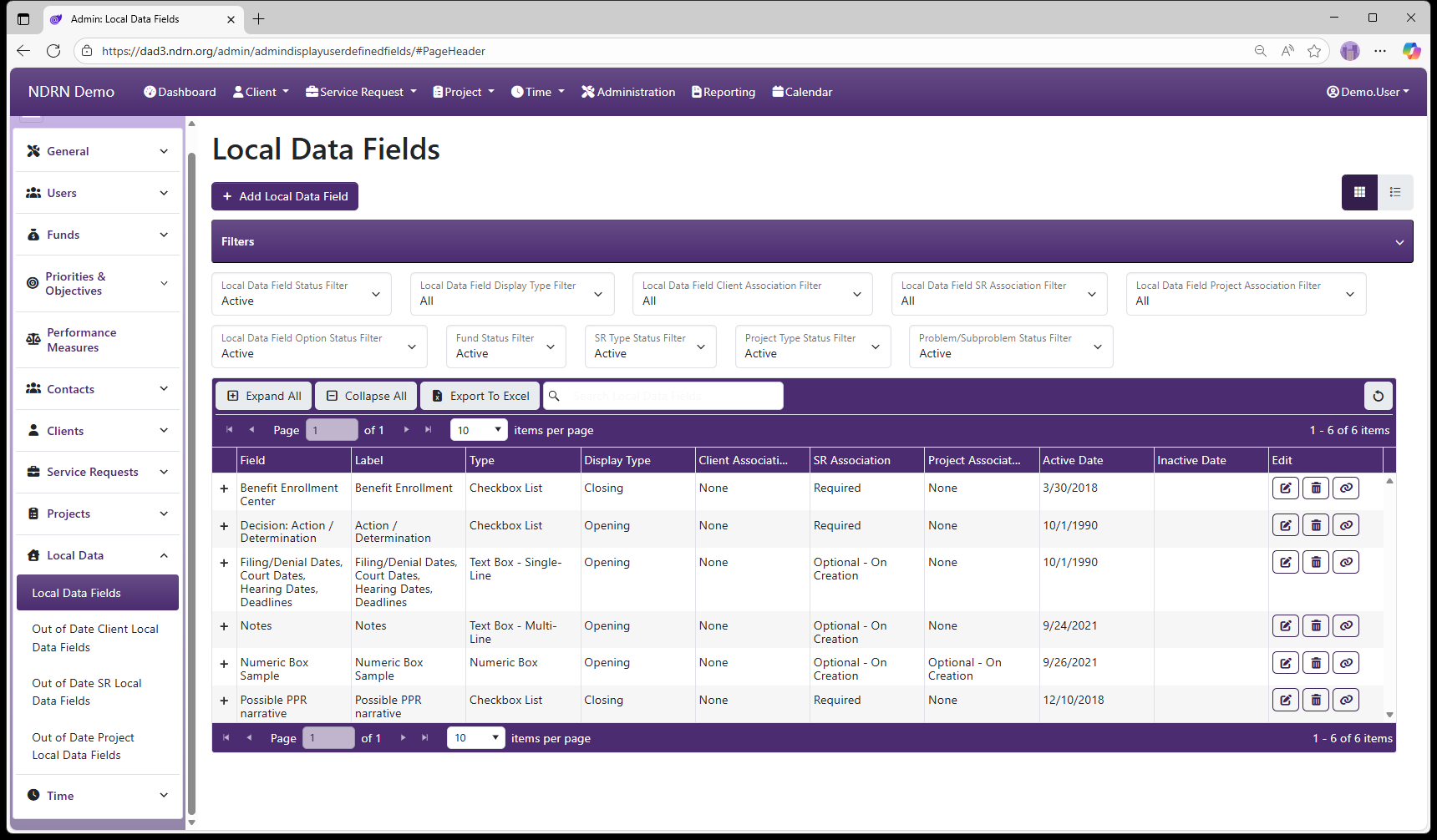
Local Data Fields Form
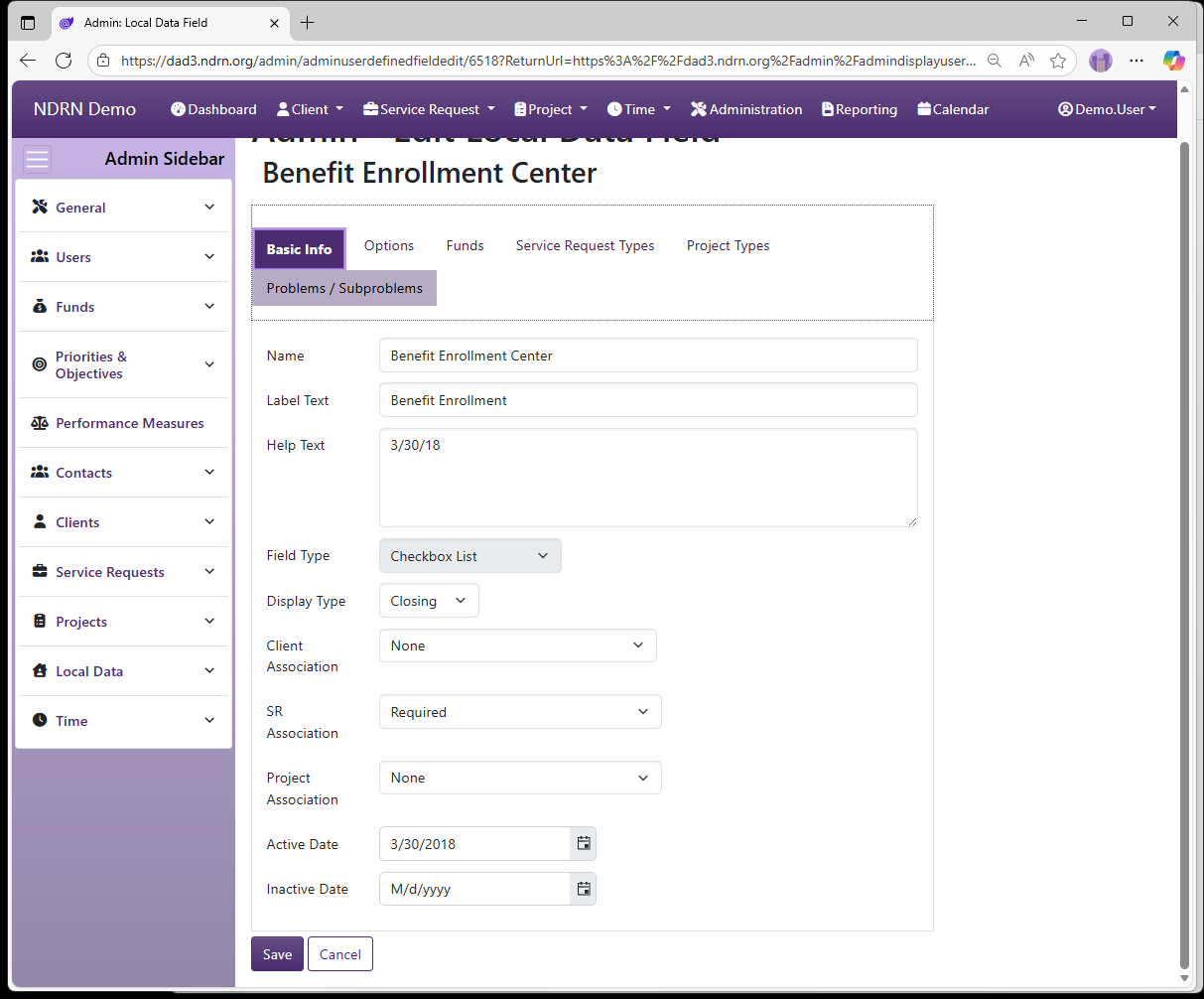
Basic Info Tab
-
Name (Short Text - required) Name of the Local Data Field (as seen in the Report Generator)
-
Label Text (Short Text - required) Name of the Local Data Field (as seen in records / by end users)
-
Help Text (Long Text - optional)
Agencies can add Help text to this field that displays as a tip when hovering over or navigating to the Local Data Field.
-
Field Type (Dropdown selection) Checkbox List Date Dropdown Dropdown List Numeric Box Text Box - Multi-Line Text Box - Single-Line Yes/No Radio Buttons
-
Display Type (Dropdown selection)
- Opening: Field displays at all times
- Closing*: Field displays only on Prepare for Closing
-
Client Association (Dropdown selection)
- On Creation: Field displays on the New Client Creation form; optional to answer
- On Creation - Required at SR Closing: Field displays on the New Client Creation form; Service Requests for the Client cannot be closed until it is completed (similar to reportable Client fields like Gender, Race and Ethnicity)
- On Edit: Field does not display on New Client Creation form, but appears on edit.
- On Edit - Required at SR Closing: Field does not display on New Client Creation form, but appears on edit. Service Requests for the Client cannot be closed until it is completed.
-
SR Association (Dropdown selection)
- Required: Field is required to close the service request
- Optional - On Creation: Field is optional and displays on the New Service Request form
- Optional - On Edit: Field is optional and does not display on New Service Request form, but appears on edit.
- Optional with Warnings - On Creation: Field is optional and displays on the New Service Request form; Validation Warning displays on record if unanswered.
- Optional with Warnings - On Edit: Field is optional and does not display on New Service Request form, but appears on edit; Validation Warning displays on record if unanswered.
-
Project Association (Dropdown selection)
- Required: Field is required to close the project
- Optional - On Creation: Field is optional and displays on the New Project form
- Optional - On Edit: Field is optional and does not display on New Project form, but appears on edit.
- Optional with Warnings - On Creation: Field is optional and displays on the New Project form; Validation Warning displays on record if unanswered.
- Optional with Warnings - On Edit: Field is optional and does not display on New Project form, but appears on edit; Validation Warning displays on record if unanswered.
-
Active Date and Inactive Date: Field will display in records with a Reference Date greater than or equal to the Active Date, and less than the Inactive Date (if entered).
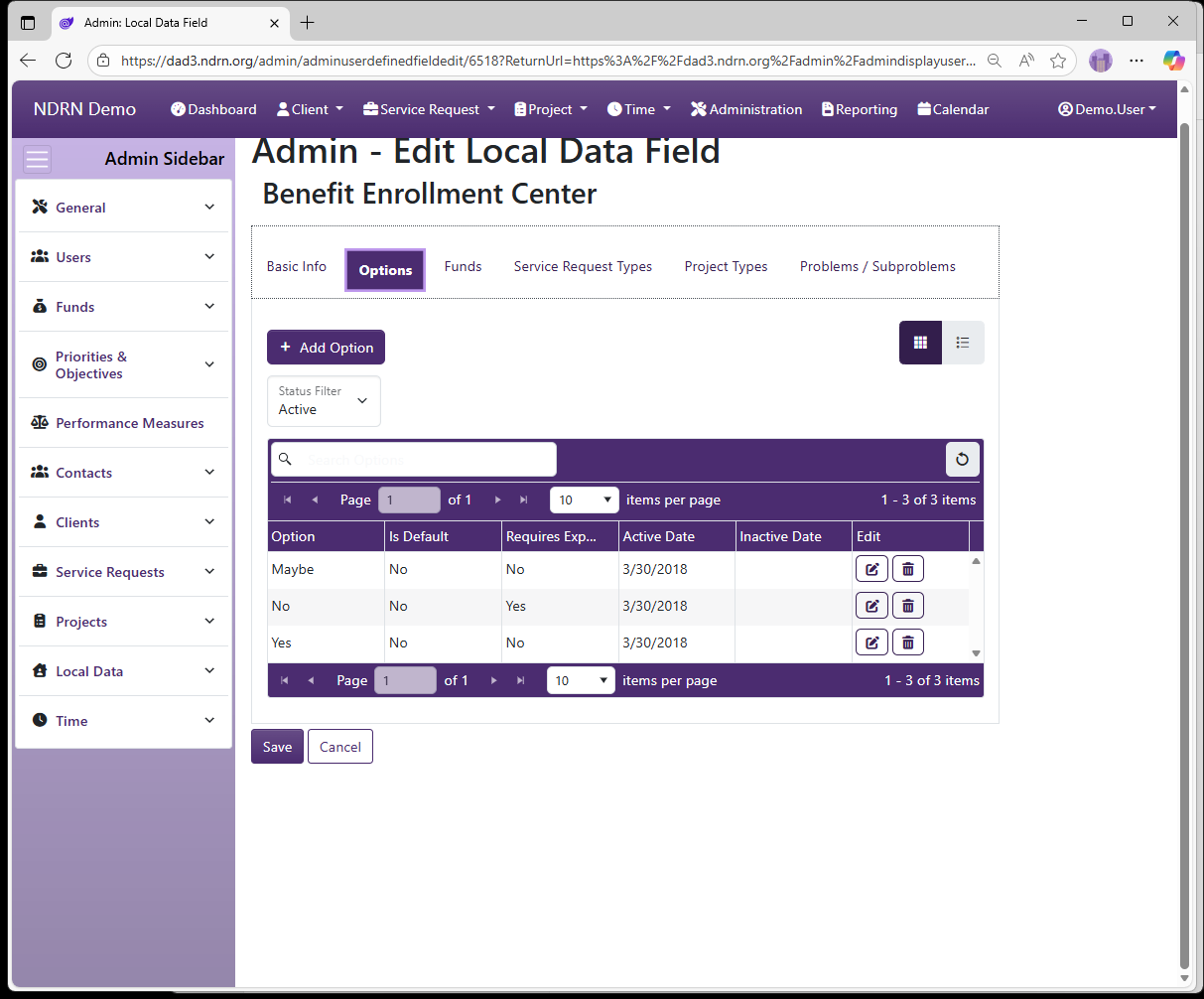
Options Tab
This tab appears if Field Type is Checkbox list or Dropdown list. Each option appears based on Active and Inactive dates. Options are Requires Further Explanation and Is the Default Option.
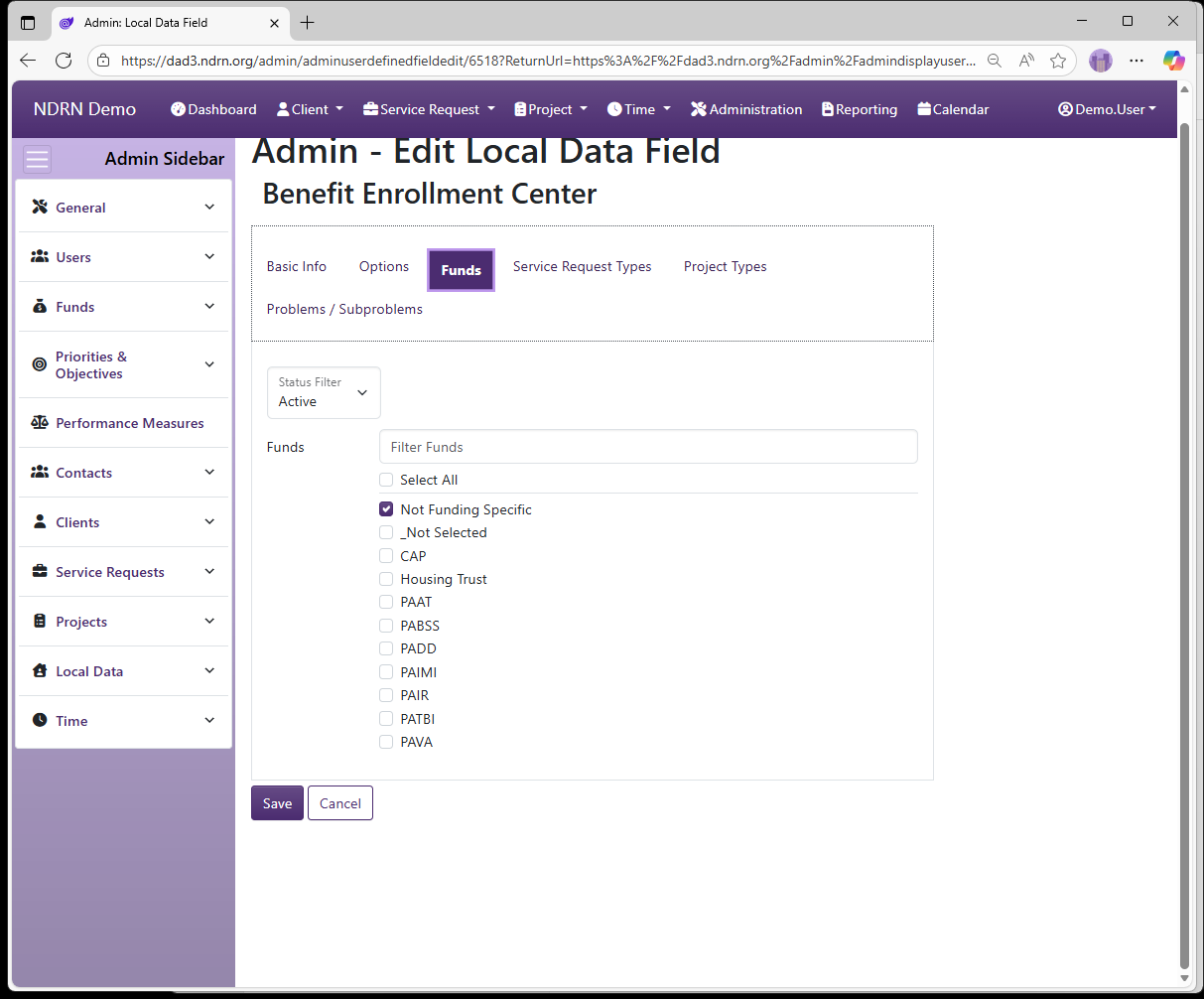
Funds Tab
Select the Funding Sources for which this field should display. To display for all funding sources, use Not Funding Specific option.
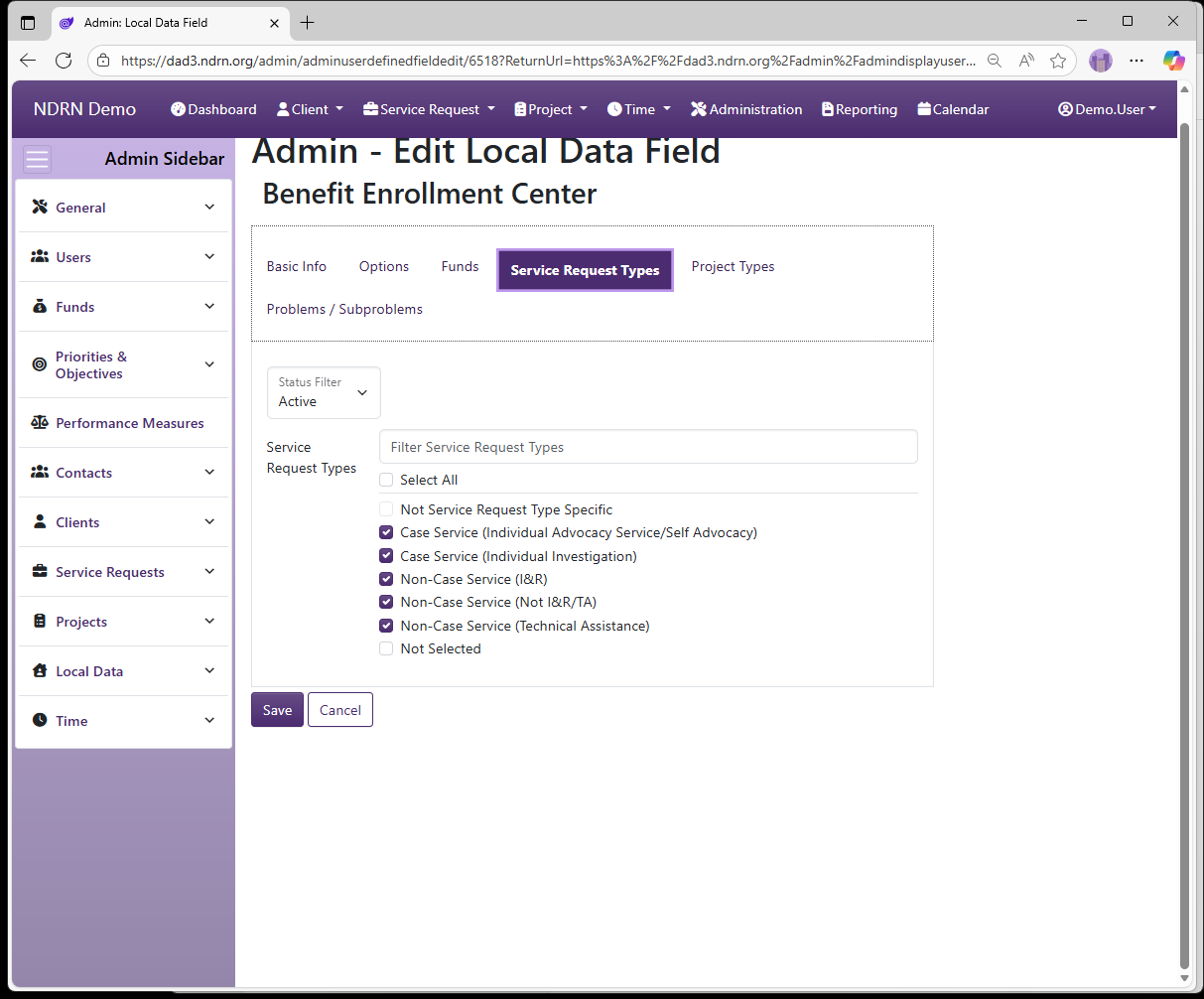
Service Request Types Tab
If associated with Service Requests, select the SR Types for which this field should display. To display for all SR Types, use Not Service Request Type Specific option.
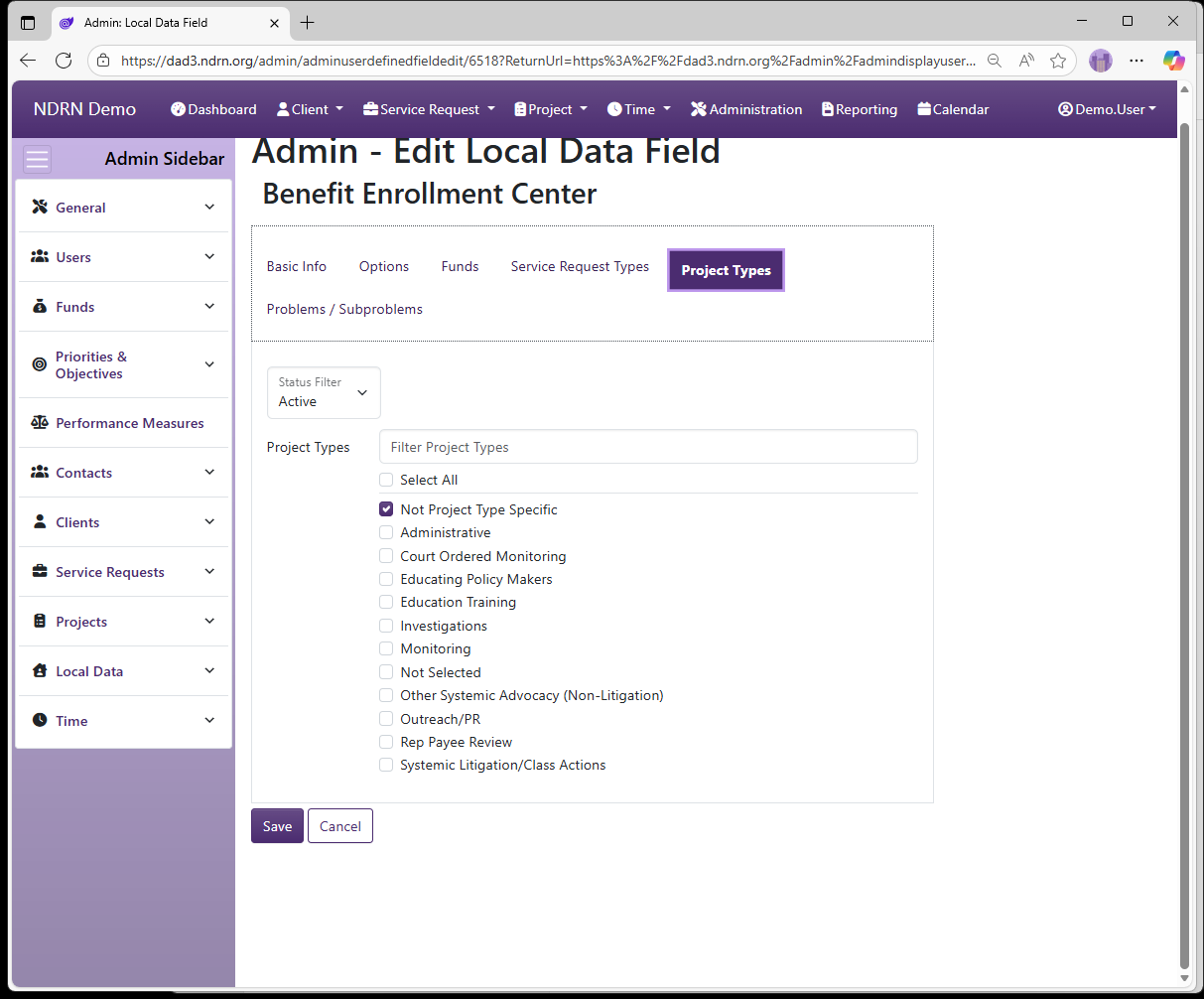
Project Types Tab
If associated with Projects, select the Project Types for which this field should display. To display for all Project Types, use Not Project Type Specific option.
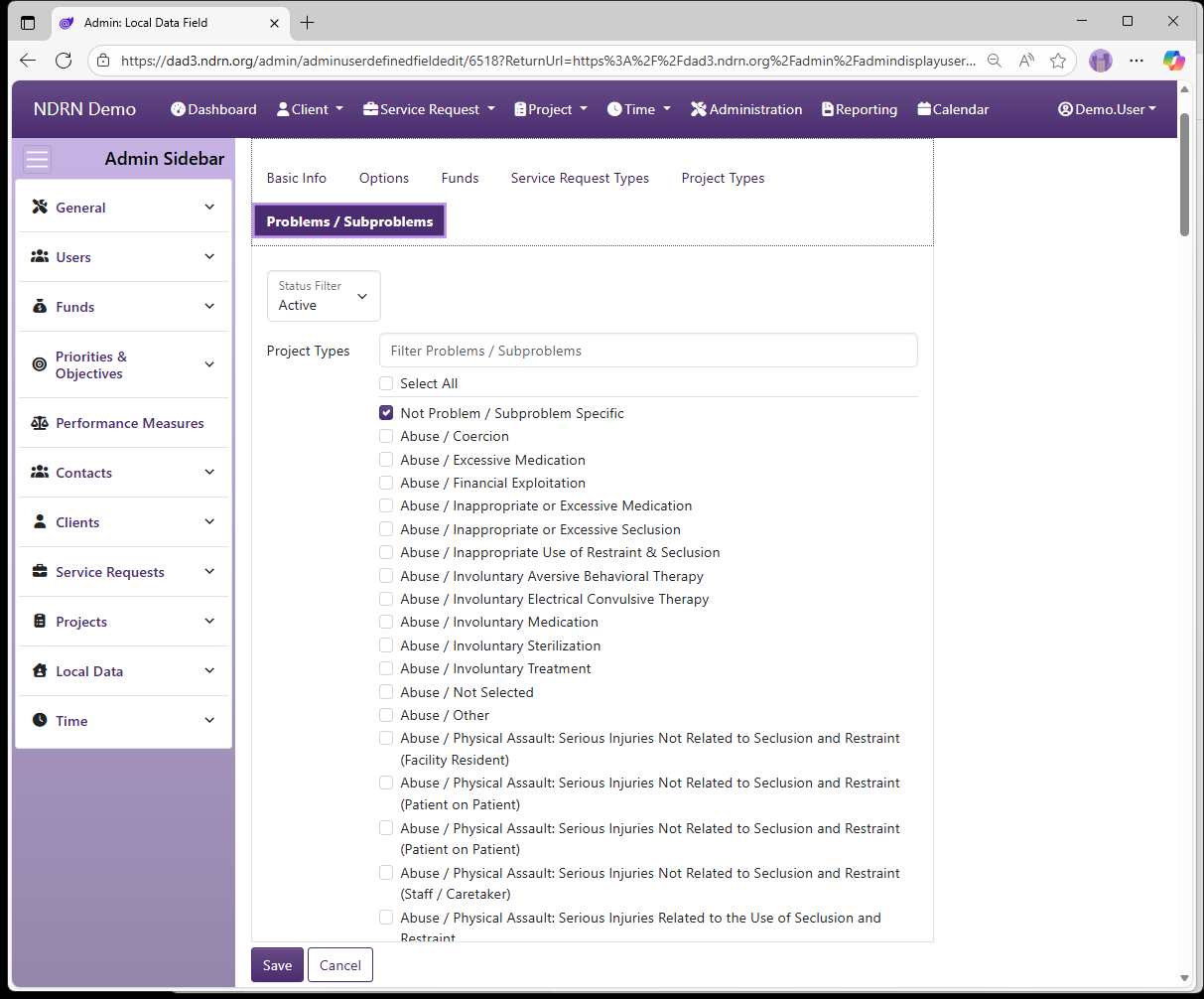
Problems / Subproblems Tab
If desired, select Problem/Subproblem combinations: the field will only display if Problem and Subproblem for the record match. To display for all Problem/Subproblem selections, use Not Problem / Subproblem Specific option.
← Previous: Section: Local Data | Next: Out of Date Client Local Data Fields →