Home / Configuration Reference / Section: Users / Positions
Positions
Page Type: Table (URL: https://dad3.ndrn.org/admin/admindisplayadvpositions)
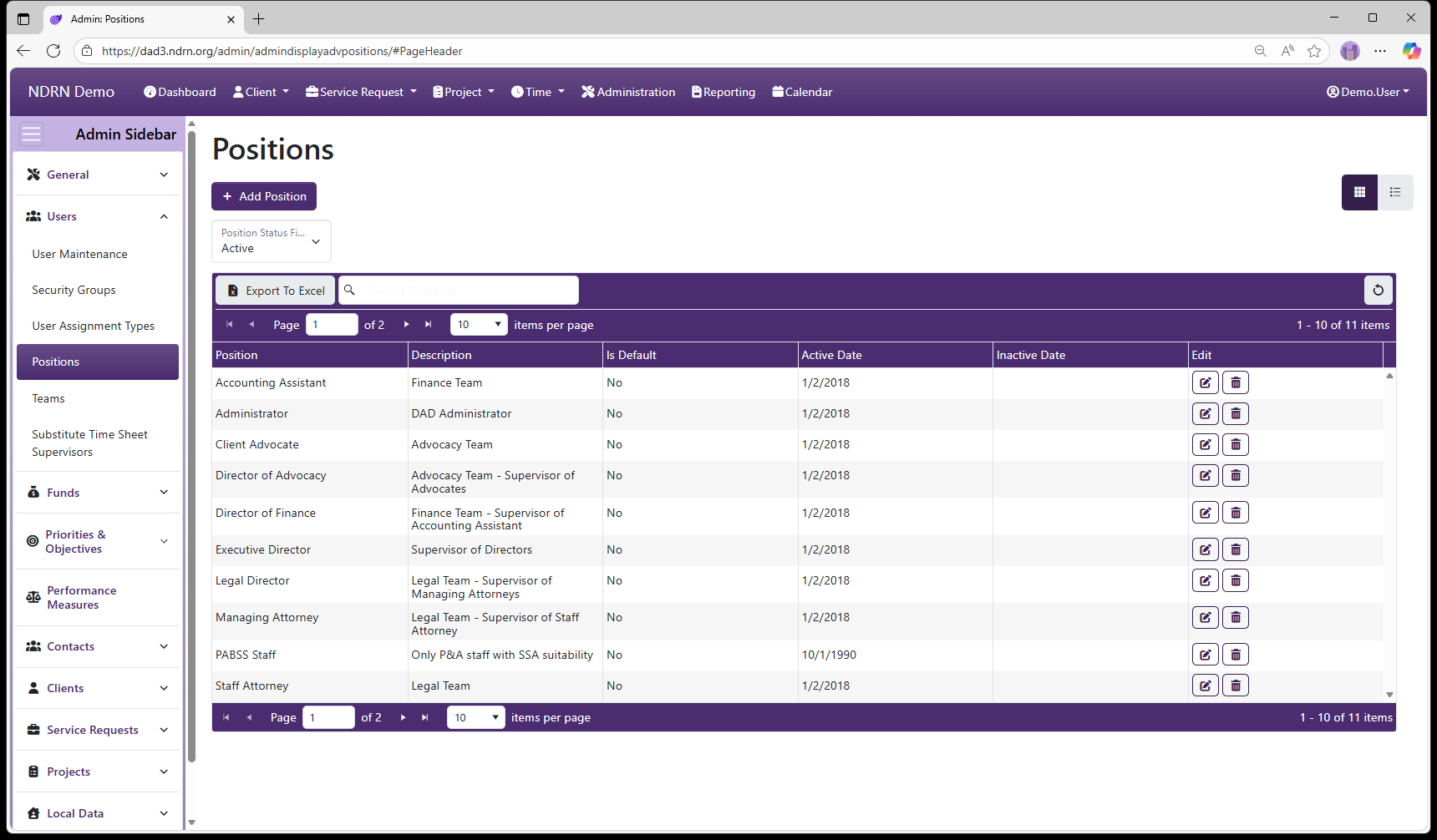
Positions are agency-defined options for User records. Position information for a User can be accessed with the Report Generator, making it a useful field for organizing and managing an agency's users.
As with most DAD Administration settings pages of this type, operations include: Add Position button to add a new entry, Edit and Delete buttons for exisiting entries, and Export to Excel button to export the settings to a file.
This screenshot contains examples of position names agencies might use:
Positions Form
-
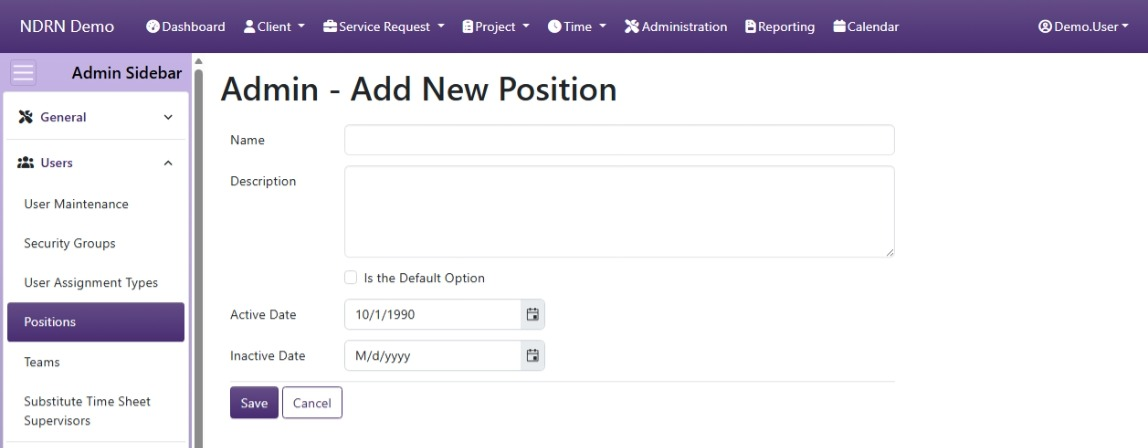
Name Display name of the Position (Short Text - required)
-
Description This field is for agency use. (Long Text - optional)
-
Is the Default Option If this box is checked, this Position will be selected by default for new Users. (Checkbox)
-
Active Date The Position will appear as an option between the Active Date and Inactive Date. (Required)
-
Inactive Date The Position will appear as an option between the Active Date and Inactive Date. (Optional)