Home / Configuration Reference / Section: Users / User Assignment Types
User Assignment Types
Page Type: Table (URL: https://dad3.ndrn.org/admin/admindisplayadvassignmenttypes)
A User Assignment Type is selected when assigning a user to a Service Request or Project. Agencies can create custom User Assignment Types or edit the name of exisitng selections if desired.
When a User Assignment Type that is mapped to Primary or Associated is selected for a record, the user can make use of the Assigned Dashboard views (e.g. Assigned Service Requests), filtering by Assignment type.
The Supervisor User Assignment option appears only for records requiring supervisor review, and is used to designate the supervisor responsible for reviewing records for closure (so they will appear in their Supervisor Approval Queue and Supervisor Closures list for that record type).
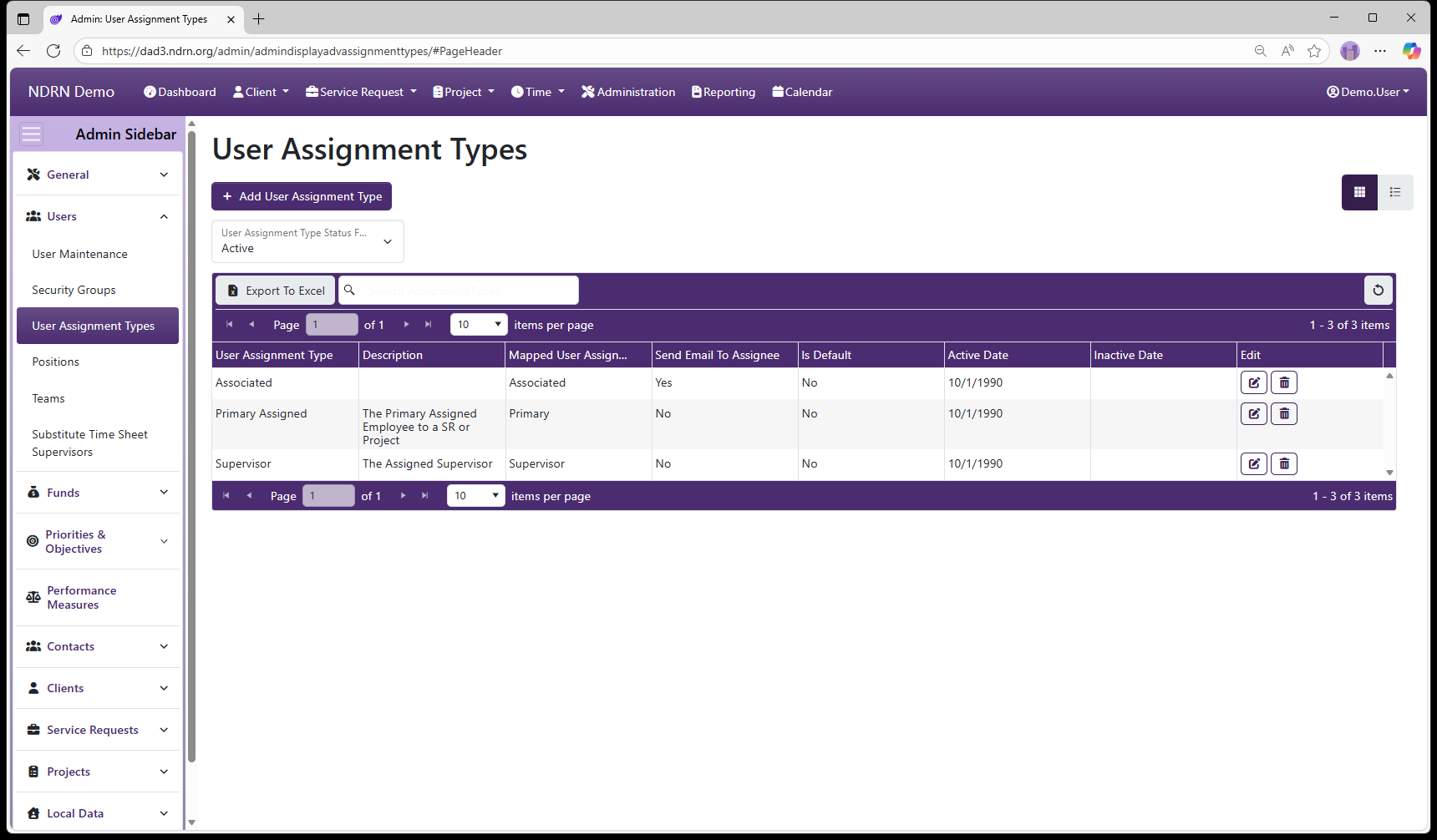
User Assignment Types Admin Page
As with most DAD Administration settings pages of this type, operations include: Add User Assignment Type button to add a new entry, Edit and Delete buttons for exisiting entries, and Export to Excel button to export the settings to a file.
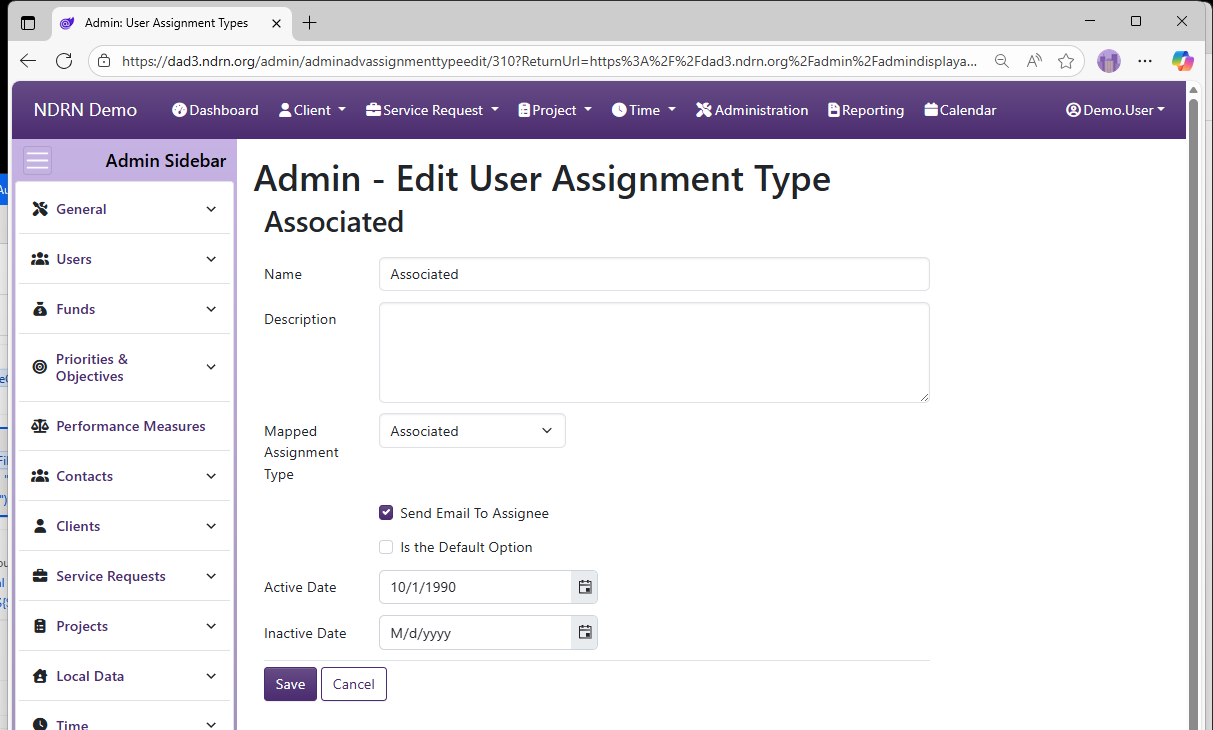
User Assignment Types Form
-
Name Display name of the User Assignment Type (Short Text - required)
-
Description This field is for agency use. (Long Text - optional)
-
Mapped Assignment Type Selections: Primary, Associated, Supervisor, Locally Defined Option (Dropdown selection)
-
Send Email to Assignee If this box is checked, users who are assigned to a record as this User Assignment Type will automatically receive an email notification. (Checkbox)
-
Is the Default Option If this box is checked, this User Assignment Type will be selected by default for new User Assigments. (Checkbox)
-
Active Date The User Assignment Type will appear as an option for records with a Reference Date that is between the Active Date and Inactive Date. (Required)
-
Inactive Date The User Assignment Type will appear as an option for records with a Reference Date that is between the Active Date and Inactive Date. (Optional)